Ayarlarınızı güncelleyin
Tercih ettiğiniz bölgeyi, dili ve para birimini ayarlayın.

A PLUS JAPAN
En İyi Fiyat
%100 Güvenli
Hızlı


Credit Card/Debit Card/Prepaid Card
Transfer Ücretleri
$0.25

Google Pay
Transfer Ücretleri
$0.25

Apple Pay
Transfer Ücretleri
$0.25

Paypal
Transfer Ücretleri
$0.36

Alipay
Transfer Ücretleri
$0.15

Razer Gold
Transfer Ücretleri
$0.2
To get a Blue Protocol Star Resonance top up on LinkSiteFlow, here’s what you’ll need
Login Server:
Global server or Taiwan/Hong Kong/Macau Server
Login Method:
Global server:APLUS account (recommend) / Crunchyroll account
TW/HK/MO server:E-mail (recommend) /Google
Game Account (Blue Protocol Star Resonance account&password)
User ID (Your in-game UID)
Pack Image:Uploading the pack image will speed up delivery
Important Note: Please ensure the required information you enter to LinkSiteFlow during purchase is correct to guarantee a successful top-up.
Step 1: Launch Blue Protocol Star Resonance on your PC/mobile.
Step 2: Log in to your account if required.
Step 3: Bring up the main game menu and select “Settings”. 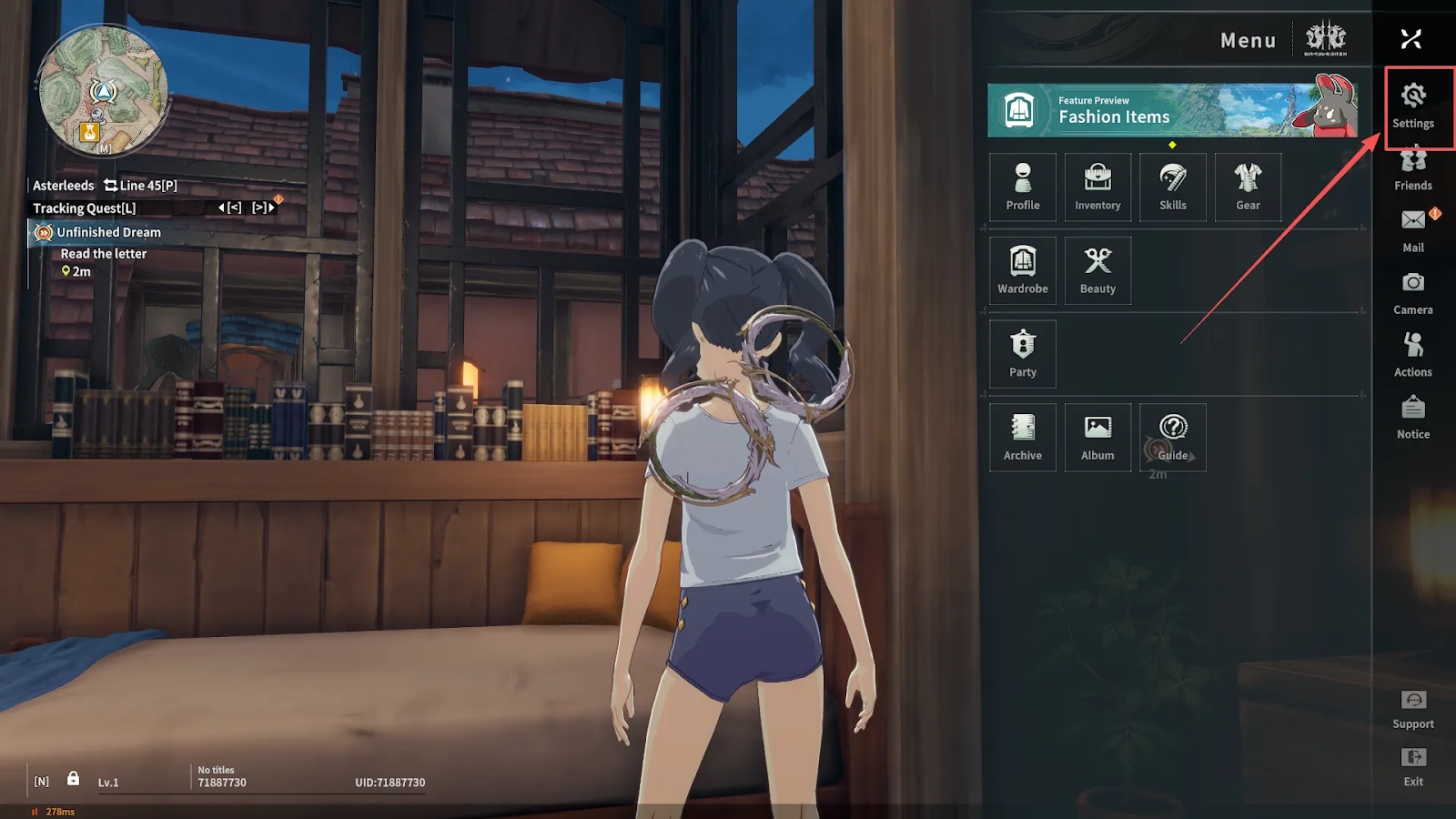
Step 4: Select the “House” icon to open Account settings. Here you’ll find your account’s Userid. 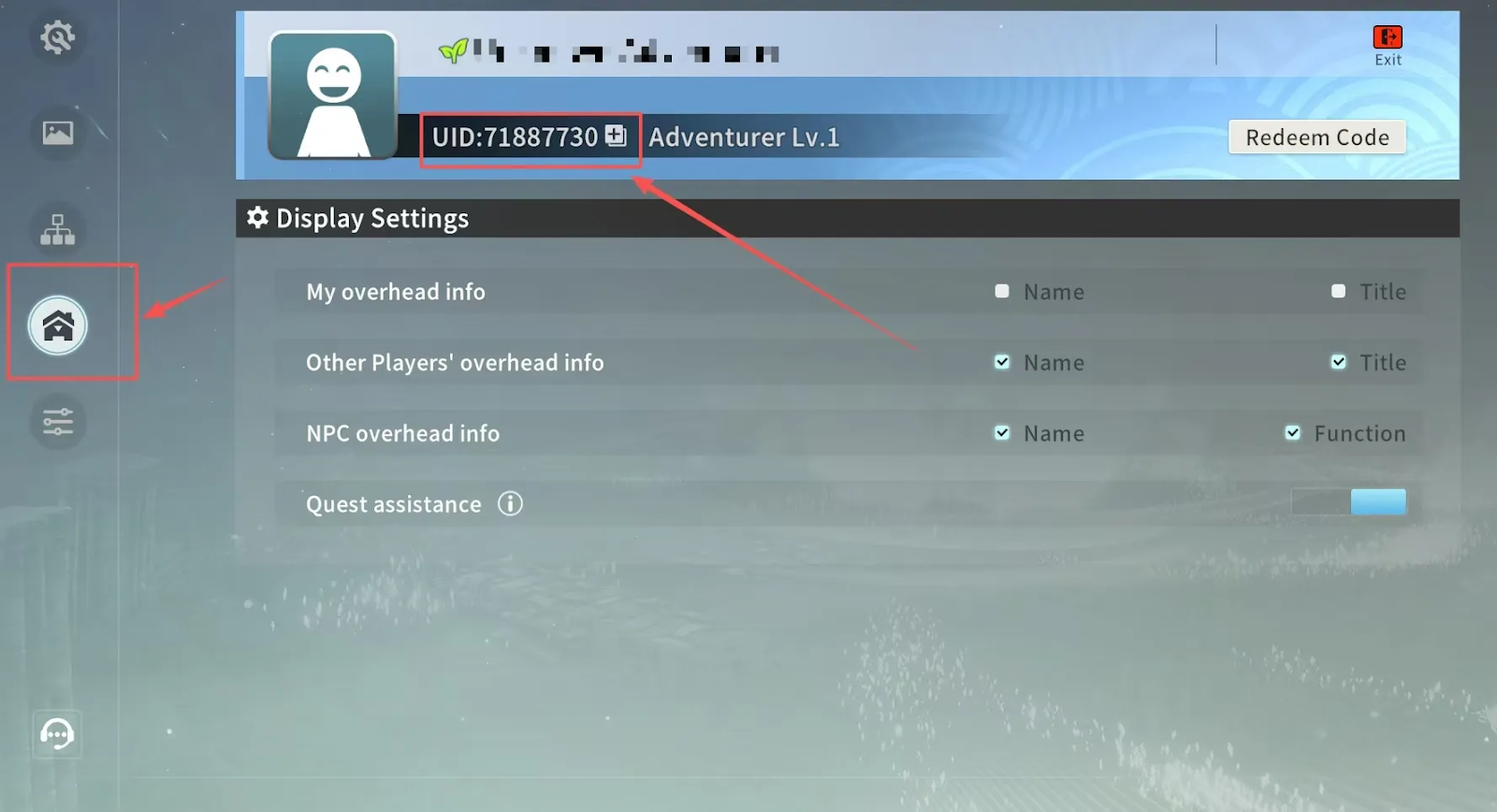
Here’s how to get a Blue Protocol Star Resonance Recharge on LinkSiteFlow:
Step 1: Select the amount of Rose Gems or the item you want to purchase.
Step 2: Select the correct Login Model for your account from these options: Official, Crunchyroll, E-Mail, or Google.
Step 3: Enter your Blue Protocol Star Resonance account, password and Userid.
Step 4: Add a Pack Image of the product you’d like to purchase to speed up delivery (optional).
Step 5: Enter an email address for your LinkSiteFlow customer service.
Step 6: Choose your payment method and complete the payment by selecting the “Top Up” button.
Step 7: In just a few minutes, your Rose Gems or item will be delivered straight to your account!
*If you are using a Crunchyroll account, please make sure it is linked first.
Tap bottom-right "ESC" → "Settings"
Click left icon 4 → top-right "User Center" (check link status)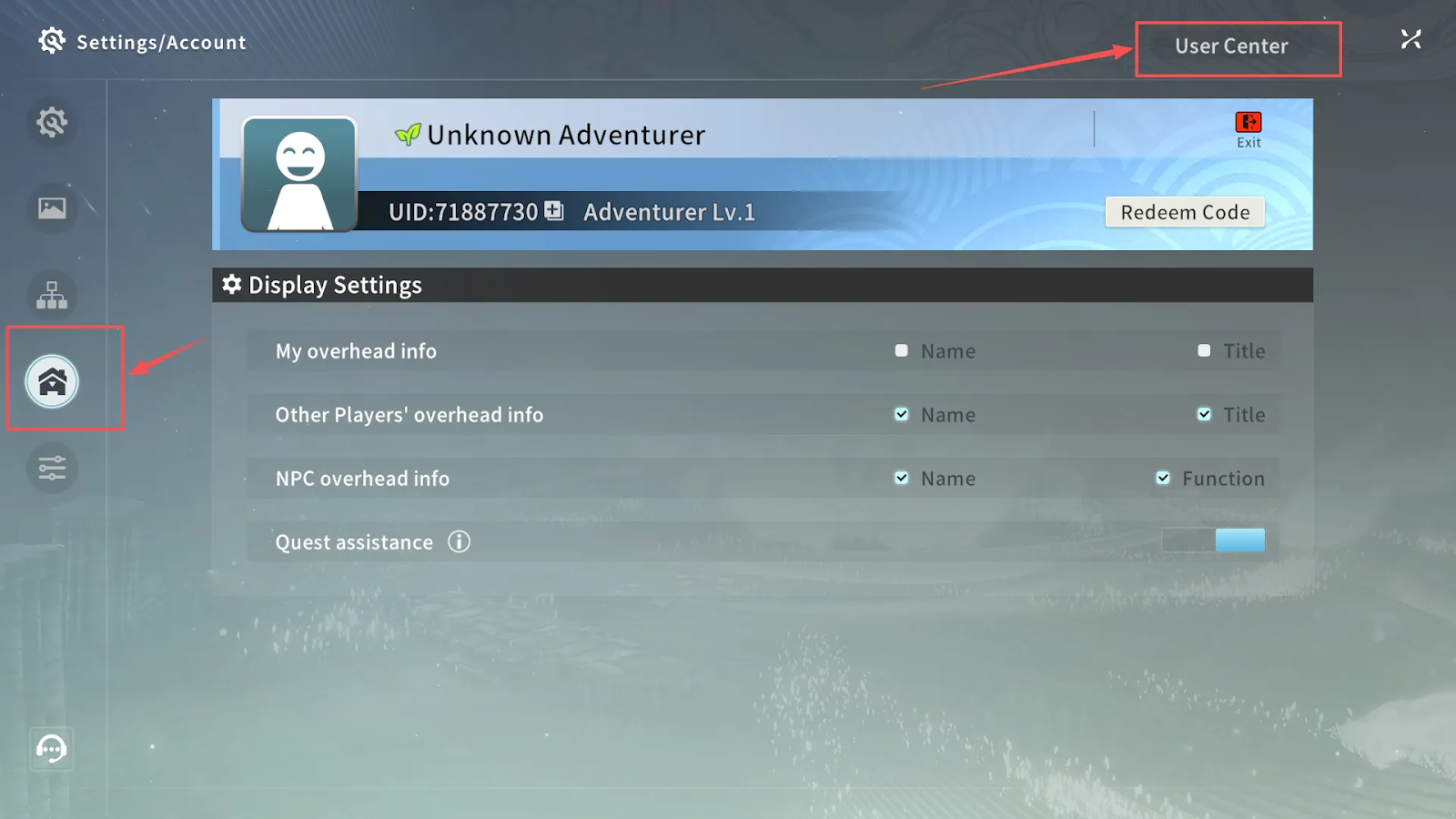
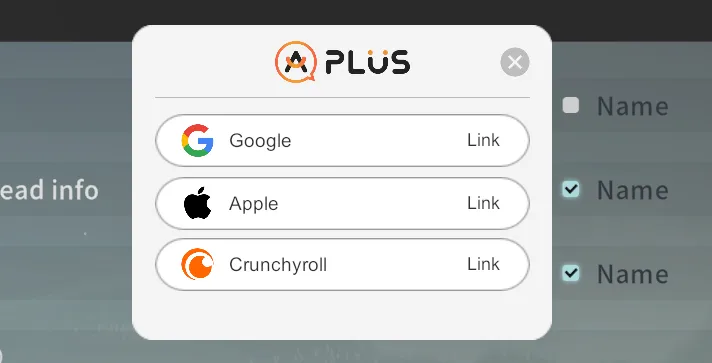
"Create Account" → enter email/password → agree to terms → confirm binding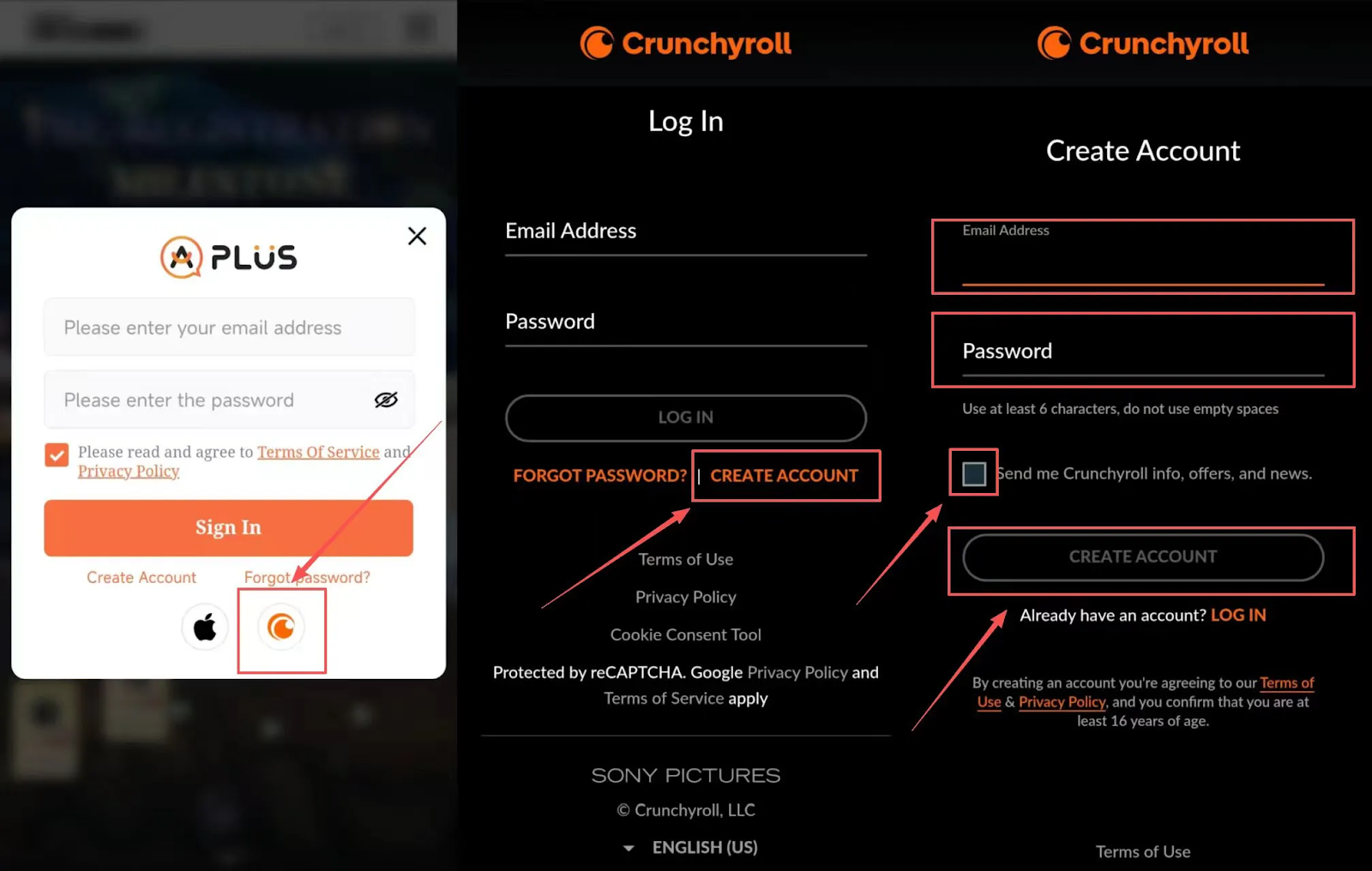
Purchasing Blue Protocol Star Resonance Rose Gems gets you access to the game’s premium content, from the latest cosmetic drops, Legendary Imagine gacha pulls, or stocking up on materials.
However, getting recharges from the official Blue Protocol Star Resonance top up center can get a bit too expensive over time. That’s why players prefer getting top-ups from trusted discounted top-up platforms, like LinkSiteFlow!
LinkSiteFlow offers a variety of in-game items such as limited-time packs, Void Passes, skins, a variety of in-game items, and Rose Gems top-ups, at a hefty discount!
Blue Protocol Star Resonance is a free-to-play massively multiplayer online role-playing game (MMORPG) from developers Shanghai Bokura Network Technology Co., Ltd. published by A Plus Japan.
The game is a blend of anime aesthetics and MMO, and with the free-to-play model, is focused on being a ‘fair’ experience, rather than locking everything behind a paywall. The game is currently available across platforms including PC, iOS, and Android.
Even as a free-to-play MMO, Blue Protocol Star Resonance is surprisingly very lenient when it comes to pay-to-win aspects. Save for a few cosmetics and exclusive Imagines, nearly everything in the game can be grinded for. The only sense that it’s “pay-to-win” is if you buy Rose Gems to help speed up the process.
Rose Orbs (Bound) can be earned through gameplay and can be used for in-game items and specific outfits in the Fashion store. Whereas Rose Orbs (Unbound) is a paid-only currency, and is used for most premium items in the game, like exclusive cosmetics, outfits, and limited-time gacha pulls.
For the most part, they cannot be used interchangeably. Some content is only available with Rose Orbs (Unbound).