Heartopia

Heartopia

XD Entertainment Co., Ltd.

Best Price

100% Safe

Fast

Purchase Goods
20 Heart Diamonds
Price after Discount
$0.6($0.71)
Price Details
Current Price:
$0.6
Transfer Fees:
$0.13
Total Price:
$0.73

$0.73

Original Price

Reduced
-$0.11
Transfer Fees
$0.13
Total $0.73
Select the Product
20 Heart Diamonds
20 Heart Diamonds
$0.71
$0.6
-16%
GAMG Junior Membership
$0.74
$0.62
-17%
60 Heart Diamonds
60 Heart Diamonds
$1.35
$1.14
-16%
GAMG Formal Membership
$4.14
$3.49
-16%
300 + 20 Heart Diamonds
$6.67
$5.62
-16%
Winter Frost Season Box
$6.88
$5.8
-16%
Winter Frost Season Box Boost
$8.57
$7.22
-16%
680 + 50 Heart Diamonds
$15.36
$12.95
-16%
Winter Frost Season Luxury Box
$15.41
$12.99
-16%
1280 + 90 Heart Diamonds
$28.04
$23.63
-16%
1980 + 150 Heart Diamonds
$42.68
$35.98
-16%
3280 + 270 Heart Diamonds
$69.52
$58.6
-16%
6480 + 570 Heart Diamonds
$136.62
$115.17
-16%
Show More
Select Payment
Credit Card/Debit Card/Prepaid Card

Credit Card/Debit Card/Prepaid Card

Transfer Fees

$0.23

Google Pay

Google Pay

Transfer Fees

$0.23

Apple Pay

Apple Pay

Transfer Fees

$0.13

Paypal

Paypal

Transfer Fees

$0.35

Alipay

Alipay

Transfer Fees

$0.14

Razer Gold

Razer Gold

Transfer Fees

$0.14

How to find Heartopia User ID and Zone ID?

  • You can top up for Heartopia on both PC and Mobile (this service does not support Steam accounts).
  • Good to know: Your game progress is shared across PC and mobile, so your top-up works everywhere.

What We Need?

To process your order, please provide the following info:

  • Account ID: Google ID or Facebook ID
  • Server: Select your region (Global, America, Asia, SEA, or TW/HK/MO)
  • Account Password
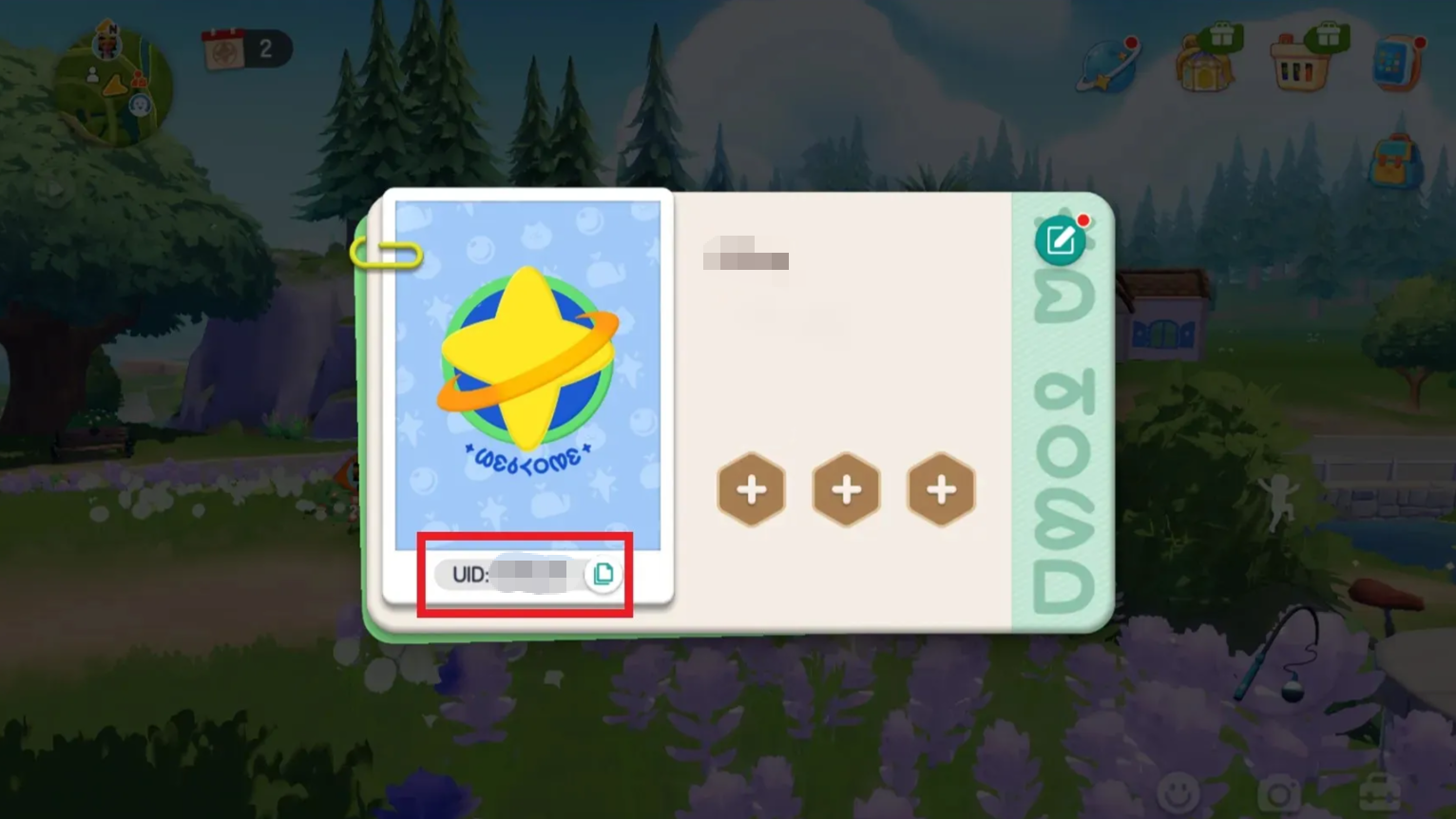
  • UID (Player ID)

How to Find Your UID?

Finding your Player ID is easy:

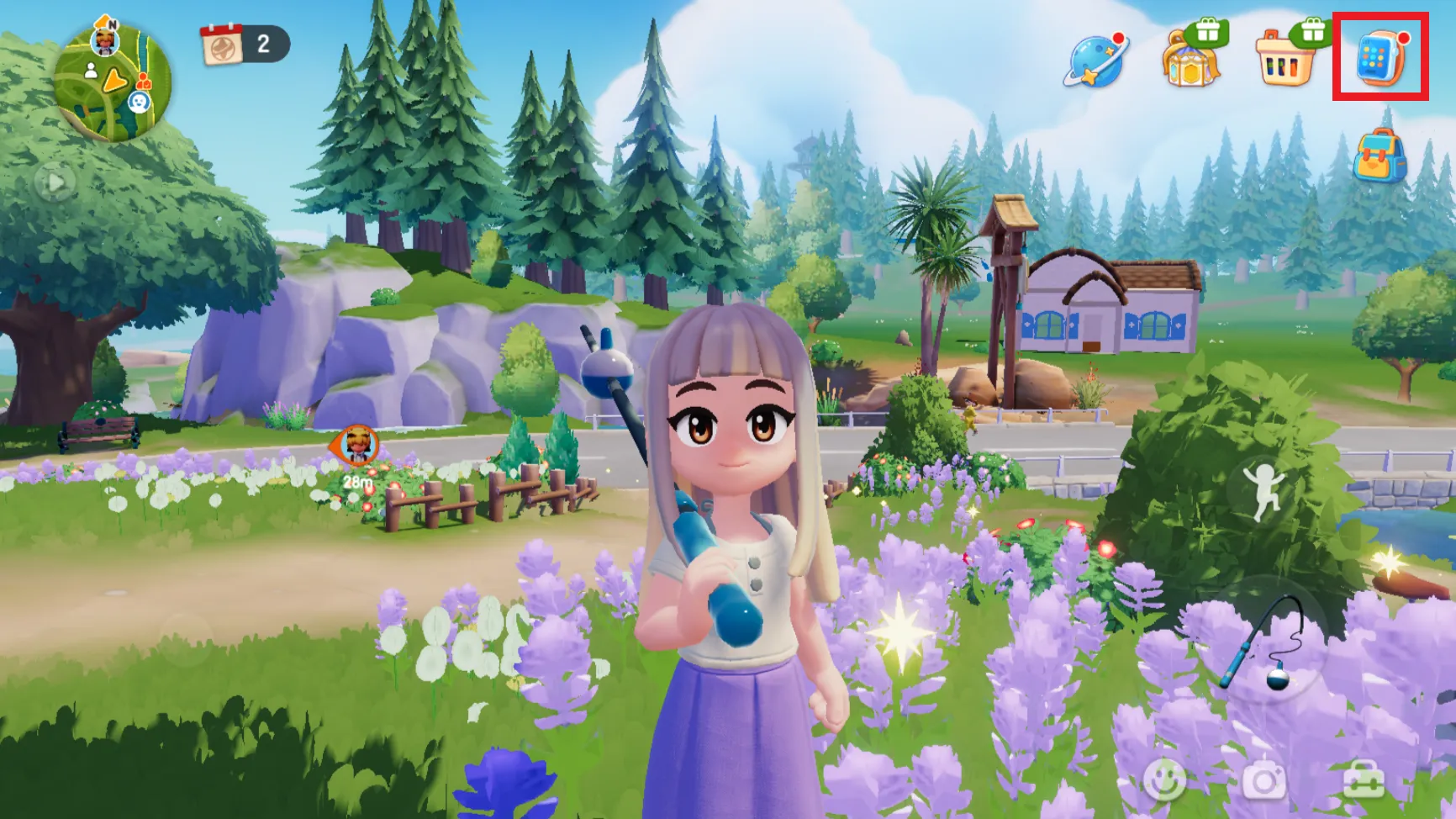
1.On the screen, tap the watch icon in the top-right corner.
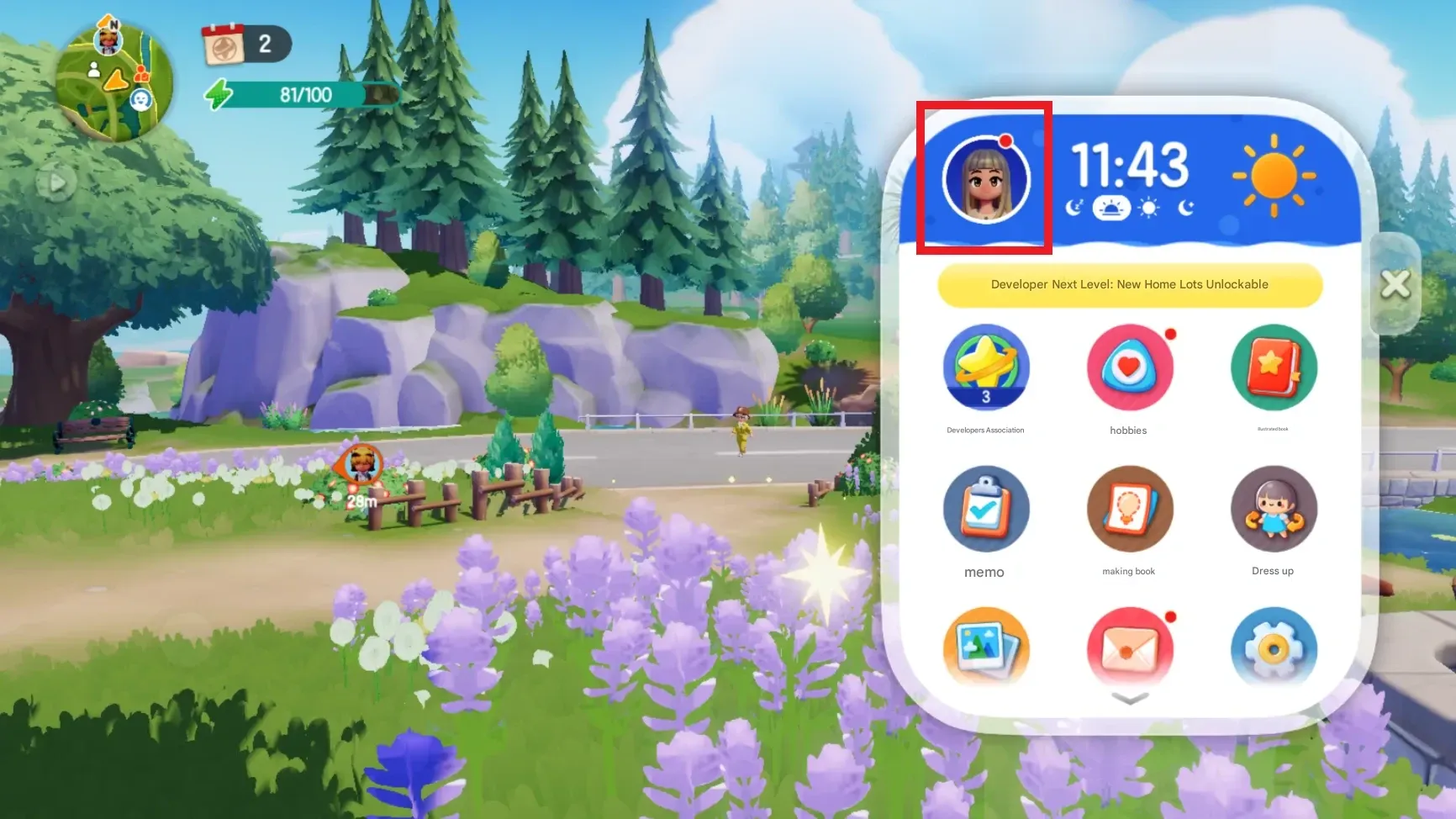
2.Tap your Avatar.
3.Your UID will be visible there—just tap to copy.
Payment environment is being tested