Aktualisieren Sie Ihre Einstellungen
Legen Sie Ihre bevorzugte Region, Sprache und Währung fest.

Supercell
Bester Preis
100% Sicher
Schnell


Credit Card/Debit Card/Prepaid Card
Überweisungsgebühren
$0.25

Google Pay
Überweisungsgebühren
$0.25

Apple Pay
Überweisungsgebühren
$0.14

Paypal
Überweisungsgebühren
$0.36

Alipay
Überweisungsgebühren
$0.15

Razer Gold
Überweisungsgebühren
$0.2
Important Notes:
Only accounts linked to a Supercell ID can be recharged.
To recharge, you must provide your game account and password
Do not log into the game during the recharge process.
We recommend changing your password after it is completed.
Prevent delays: Enter all information accurately.
Platform: Mobile Game
Region/Server: International
Account
Character Name
Verification Code
First-Time Recharge Bonus:
New rechargers will receive extra in-game rewards. Check the in-game recharge rules for details.
After Successful Recharge:
How to Bind & Check Your Supercell ID
Launch the game, tap the lower-right corner icon, and select "Disconnected" .
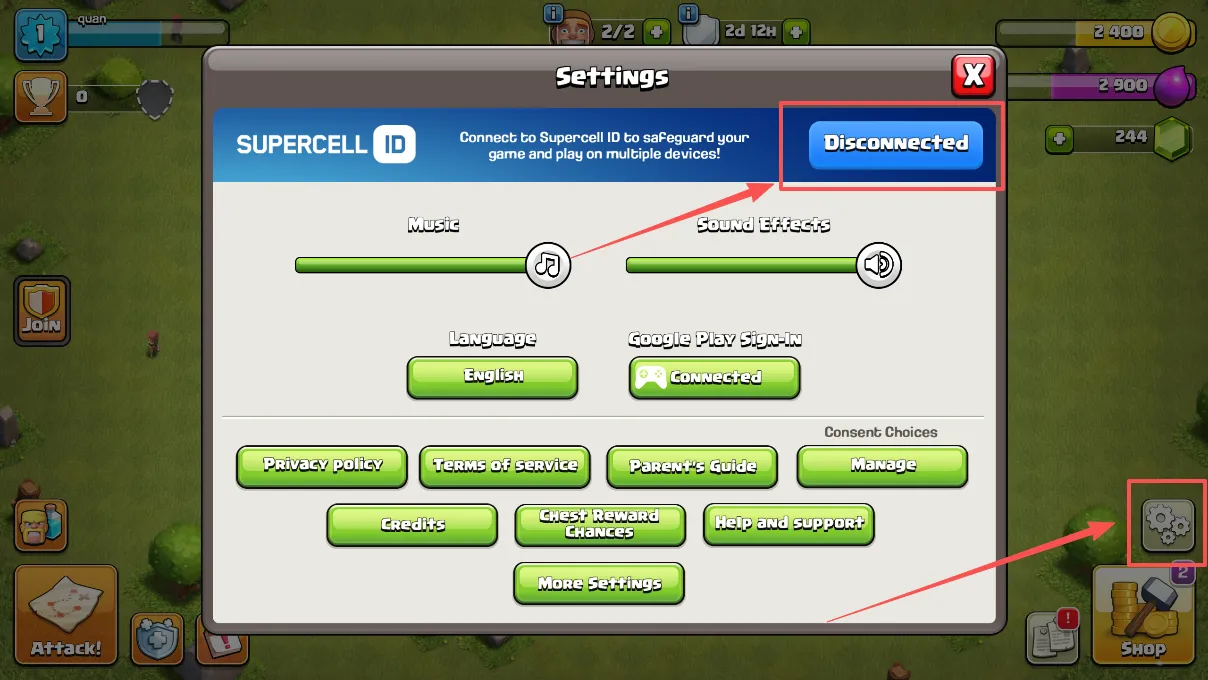
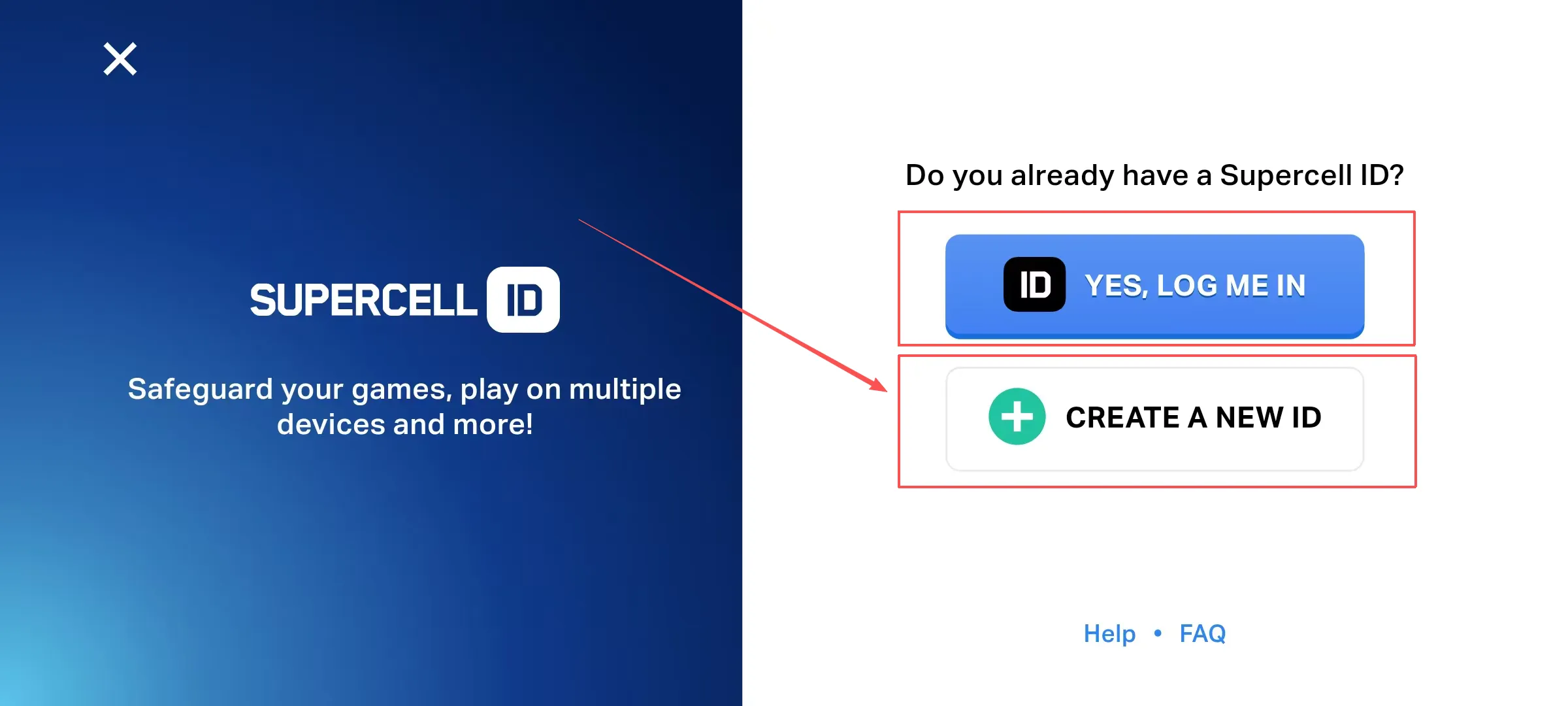
If you don’t have a Supercell ID, create one. If you do, select "Yes, log in."
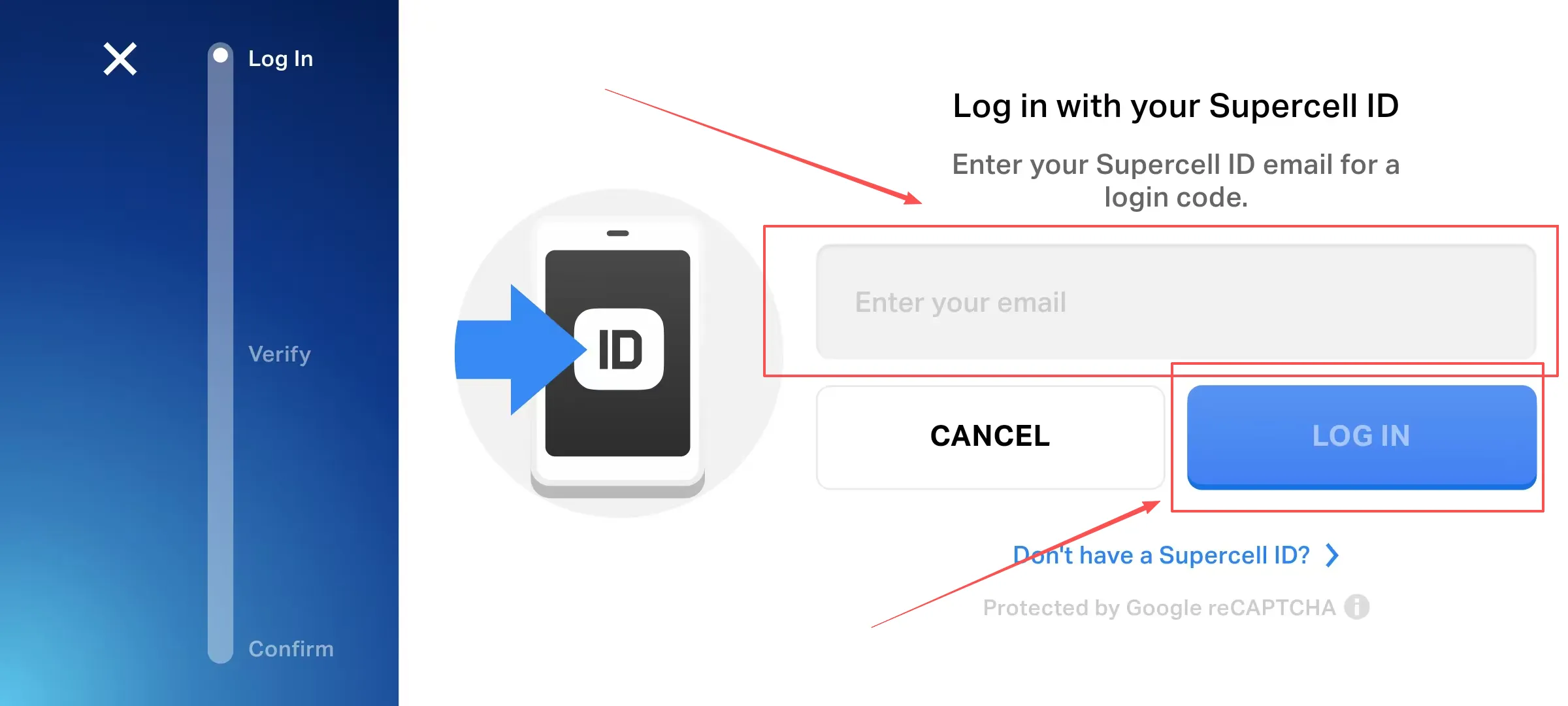
Tap "Continue," enter the email you wish to bind, and select "Log in."
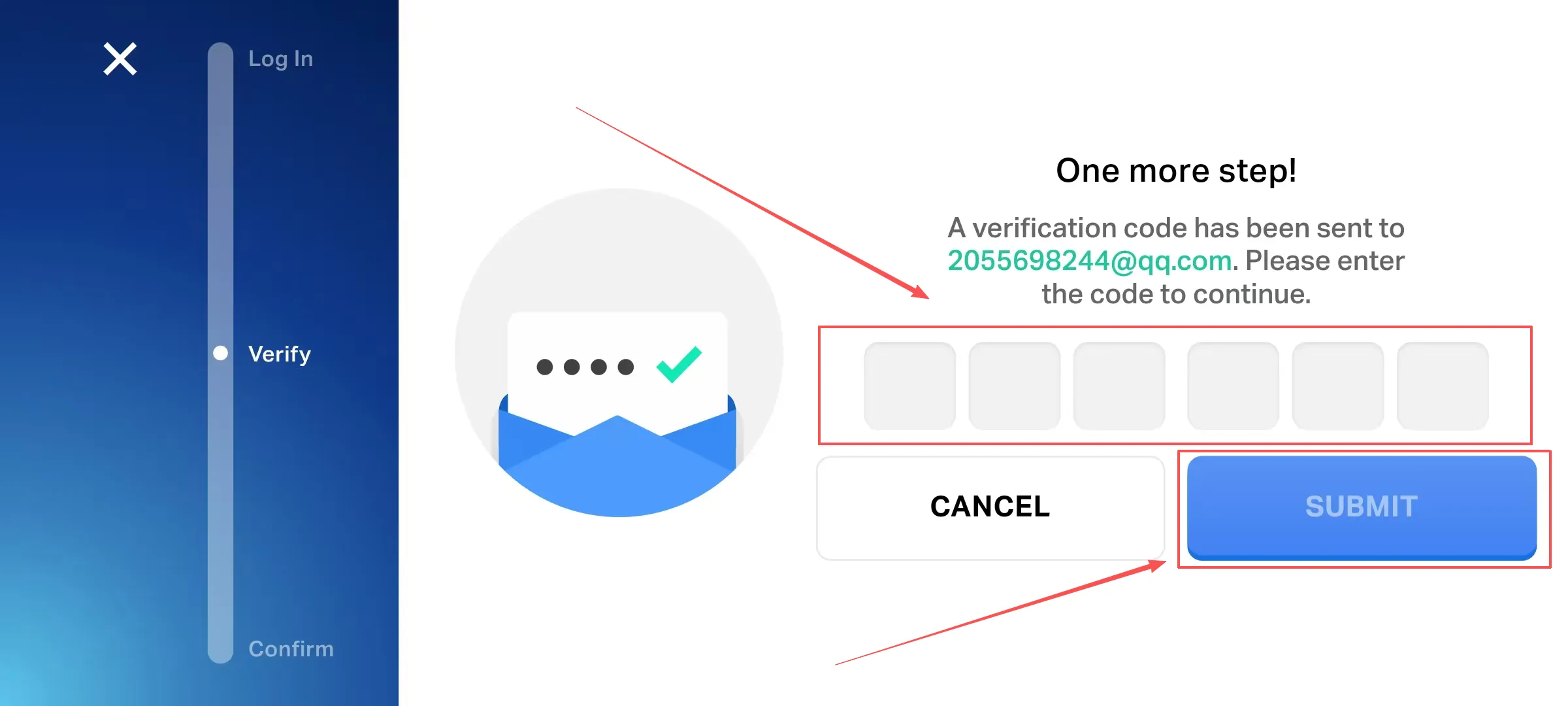
Complete email verification.
Create your Supercell ID by entering your desired ID and tap "Continue."
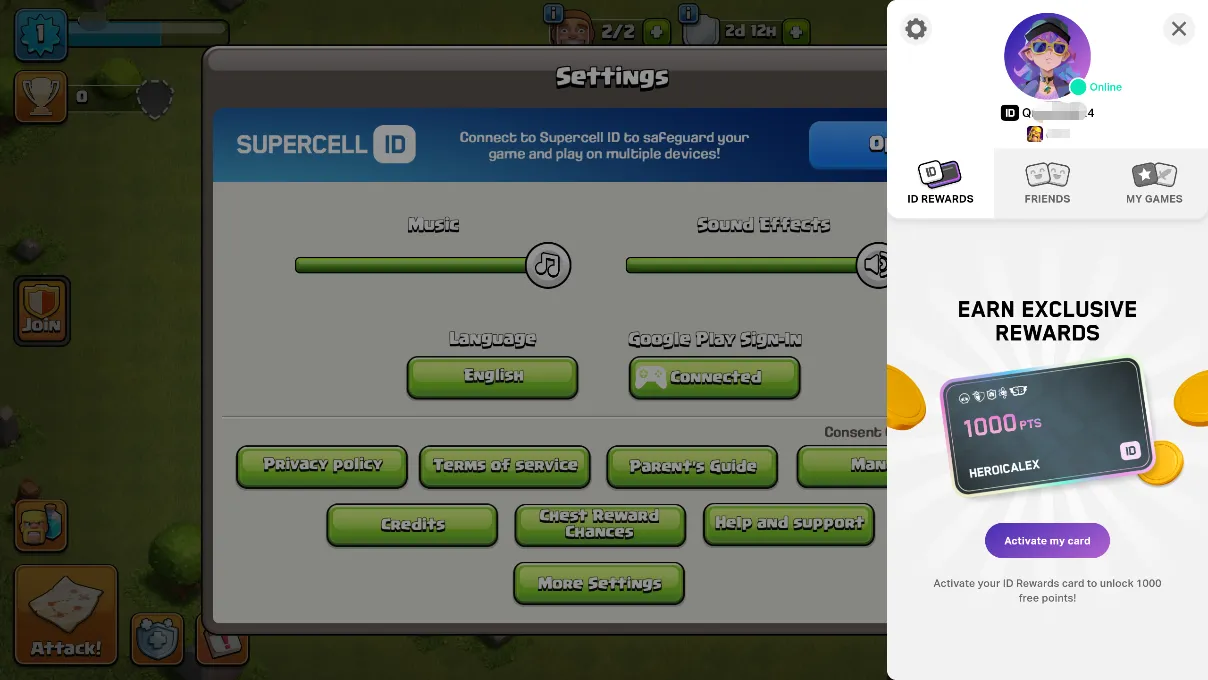
Done! You can now view your bound Supercell ID account.
In Clash of Clans, you're the leader of special troops and fight in the great Clan Wars to prove your strategies. Use Spells and Heroes to plan your attacks and conquer rival bases and their loot.
You must defend your base to keep resources safe. If you want to compete in Leagues and climb the leaderboards, you can join a clan. Begin your journey and make your village an unbreakable fortress!
The premium currency is Gems. They're used to speed up your progress and skip waiting times across all game activities. Having Clash of Clans Gems is the best method to outpace your rivals.
Chiefs need Clash of Clans Gems to:
Acquire essential Builder Huts.
Buy shields & hero skins.
Speed up troop training.
While you can farm resources slowly, smart Chiefs choose to buy COC gems on BuffBuff. A COC top-up will guarantee the resources to gain a strategic edge at any time.
Clear obstacles, complete achievements, or participate in Clan Games to earn free Games. However, these methods take time. For faster progress, competitive Chiefs often prefer a direct COC top-up.
While the in-game shop is an option, LinkSiteFlow offers a more convenient and cheaper Clash of Clans top-up to upgrade your Heroes. Simply choose your pack and enter your account info. We ensure fast delivery so you can skip the wait and return to the battlefield immediately.
Your security is our priority. We work with official distributors to ensure every Clash of Clans top-up is legitimate. You can buy COC gems safely here without risking your account.
Absolutely. A COC top-up is the fastest way to unlock all 5 Builder Huts. Having more builders is the most important strategic advantage to upgrade multiple buildings at once.
Once you buy COC gems, they’re under your control. We can’t undo accidental spending. To avoid mistakes after your COC top-up, we recommend enabling the “Confirm Gem Spending” setting in the game options.